Evolving from simple Google searches to mastering AI prompt writing.

One of the most valuable skills in my career as an engineer has been the ability to properly construct a Google search to find the answer I’m looking for. Site-specific searches (site:reddit.com), wrapping required terms in quotes, or using the (-) minus operator to exclude specific terms are just a few of the techniques I picked up over the years. If these are not already part of your toolkit, keep an eye out for another post I’ll be releasing soon.
In the current age, we have seen the emergence of new AI tools like ChatGPT and Bard with the potential to revolutionize how we approach software engineering. Just like a Google search, these tools are easy to use, but there are techniques you should learn to truly leverage their power. This post aims to share some of the tips and tricks I’ve learned so far.
What is a prompt?
At its most basic level, a prompt can be a simple question to the AI, but complex prompt crafting is an art as much as a technical skill. Engineers should approach prompt writing not simply as posing a question but as defining technical specifications.
This process is akin to writing code: you must be precise, clear, and structured in your requests. Defining expected inputs and outputs is essential, similar to how you would meticulously document functions in programming. (Because we all love documenting our code)
Prompt creating resources
There are lots of plugins and websites that can get you started with some pre-populated prompts. These are more generalized and not programming-specific, but I have found them helpful.
- AI Fire – This website has printable cheat sheets for various AI tools. It will introduce you to having AI act as a specific role. An example prompt like this might be:
I want you to act as a linux terminal. I will type commands and you will reply with what the terminal should show. I want you to only reply with the terminal output inside one unique code block, and nothing else. do not write explanations. do not type commands unless I instruct you to do so. when i need to tell you something in english, i will do so by putting text inside curly brackets {like this}. my first command is pwd - Generrated – Thousands of image generation prompt examples – Find a style that looks like what you are trying to accomplish and click on the image to see the prompt it used.
Using AI for code writing
I’m sure we have all had someone come to us with a great idea; it just needs an app or a website built. A lot of those same people think that ChatGPT can build that app or website for them. Well, unfortunately that’s not really the case. AI is definitely a tool every engineer needs to learn, but it is far from capable of building out even a mildly complex website from scratch.
GitHub CoPilot is a powerful tool that can predict what you are trying to code and save you a lot of typing. This has been quite a time saver for me. It is eerily accurate in predicting what I’m trying to do and can even auto-generate unit tests for me. I use the PyCharm integrated plugin, but it can work with most popular IDEs.
If you are learning a new language, ChatGPT and Bard can take a block of code and explain it to you line by line. This can be a great alternative or complement to beginner tutorials, especially when you are diving into an existing code base or open-source project.
Limitations of AI
All of these tools come with a big warning: Don’t blindly trust them. AI has a habit of hallucinating and inventing functions or methods that do not exist. Perhaps they existed at some point in the lifecycle of a library, but in the latest version, it’s going to break.
Most of the times I have asked AI to write an entire function for me, the code it produces will immediately error out. Or it vastly overcomplicates what I’m trying to do.
Recently I asked: In python can I detect if the computer has the windows text scaling set to something other than 100%
It wrote me 20 lines of code that didn’t work. When I sent it the error, it wrote me 25 different lines of code that also didn’t work. I had to go back to trusty ol’ StackOverflow and find the answer was this:
import ctypes
scaleFactor = ctypes.windll.shcore.GetScaleFactorForDevice(0) / 100
The moral of this story is that you have to know the limitations of these tools. Don’t dive down a rabbit hole of having it try to fix its own errors. It will just keep writing more bad code.
How I used AI to help write this post
- The title is a slight variation of the 10 versions ChatGPT produced for me.
- DALL-E created the featured image. The original version was filled with a bunch of garbled words because AI image generation has a tough time with text.
- I used Photoshop to remove the garbled text in the image. Photoshop now has an AI generative fill feature that can dynamically erase things from images; this used to be a very tedious task with a clone brush.
- Reviewing for grammatical errors and typos. ChatGPT and Bard did not do as well as Grammerly; they missed several typos like “it’s” instead of “its”.
- Initially, I didn’t have any actual code in the post; AI suggested adding a code example to add credibility.
Summary
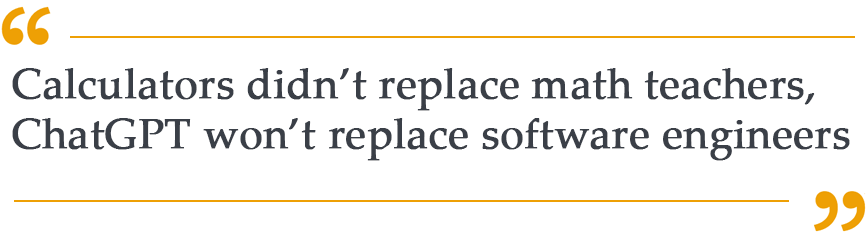
Much like the calculator, AI is emerging as an indispensable tool, one that every engineer should have in their toolbox. Learn to use this new tool properly while being mindful of its limitations. I encourage you to experiment with the tools and techniques discussed here and discover firsthand how AI can augment your engineering prowess.
TLDR:
For Coding – GitHub CoPilot
For General AI Queries – AI Fire
For Image generation – Generrated
I would love to hear your comments on how you have integrated AI tools into your work and personal lives.
 The Scrumgineer
Leave a comment